Wondering how to bridge gaps in collaboration, security, and productivity in your remote/hybrid team? Getting your documents under control can be the difference between frustration and real momentum.

Hybrid and remote work have quickly become commonplace, stretching across nearly every industry and organization size. Whether your team works in finance, healthcare, construction, or education, chances are your daily workflow now depends on a mix of home offices, shared workspaces, and digital tools.
Most work today is at least partially distributed by default, which is powerful because it creates more diverse teams and more innovative companies. But, it also comes with hurdles that can directly impact a team's ability to do their jobs well.
We aren’t just talking about adding another productivity tool to an endless list. The real issue is making sure your people can do their core work in the first place—serving clients, reviewing contracts, analyzing data—without being bogged down by digital clutter and tangled processes.
While optimization is a worthwhile mission, you must first be able to find what you need without digging, send it to the right stakeholder, and move forward.
That’s why a modern document management system is the backbone of functional, distributed organizations. When your system just works, your expertise does too. And that’s how teams stay connected, agile, and ready to tackle whatever comes next.
When every file is organized, searchable, and shareable in seconds, you spend less time fighting files and more time getting things done. Think fewer steps, fewer headaches, and more time spent on what you do best: solving problems, supporting clients, and taking action on ideas.
Access is one of the most crucial functions of any storage and process hub—team members must be supported equally, across departments, offices, and time zones. Document management systems make routine workflows smoother and enable real-time collaboration while protecting data security, no matter where team members work.
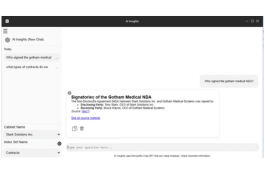
Imagine this: Priya logs into her company’s shared drive to pull documents before a big client call. She’s faced with different contract versions and isn’t sure which is current. She reaches out to a colleague and discovers that the contract she needs has been saved with a different name, which didn’t come up in her search. Priya thinks, if only she could type any relevant document details into the search field—like client name, contract date, type, or status—she could pull what she needed instantly, every time, no matter where or how it was filed.
Successfully managing documents across distributed teams means achieving visibility and accountability. A good DMS replaces confusion with clarity, connecting every step of the document lifecycle, from creation to collaboration to compliance.
Here’s how real-world teams bridge the distance between remote colleagues and reclaim hours of time every week.

Ian’s been burned by file chaos too many times. He used to scramble when clients noticed missing updates because countless draft versions floated across Drive and email.
A DMS now enables his organization to centralize files in a single location, and with a simple file structure, finding the latest agreement takes seconds. Tracking and reporting are effortless, and standardization means a clear audit trail if anyone has questions.

Andre, who works on the West Coast, used to drown in email chains or have to wait until the next day when trying to chase down East-based colleagues for signatures.
Today, invoices zip through an automated workflow for digital signoff, and updates happen in real time. He’s shifted from paper-chasing to problem-solving and strategic thinking.

Maya panicked after discovering sensitive staff data was unprotected and accessible to the entire organization. Now, with role-based permissions, only the right people can access specific records, and all requests and changes are tracked. Compliance logs are updated in the background, keeping her auditors and leadership happy.

Alex spent hours manually tagging documents so her team could find what they needed. But handwritten notes and inconsistent naming conventions made it nearly impossible to apply consistent labels.
Now, with AI-powered metadata tagging, documents are automatically categorized by keywords, client names, or document types—even from scanned or handwritten text. Auto-tagging turns what used to be tedious busywork into a fast, reliable system for organization and retrieval.

Last quarter, Sam’s nightmare came true: a sudden server crash wiped out a week’s work, and compliance deadlines loomed.
With a DMS, company files are automatically backed up to the cloud (and tested daily), and compliance reports are always ready to share. Centralized oversight means every department meets regulatory obligations without scrambling for data or worrying about file integrity. And if something should happen, your data is recovered and restored with one quick call.

Manual policy and procedure management is one of the most overlooked risk areas in remote settings. For Robin’s department, updates are either nonexistant or they live in disconnected folders and outdated PDFs, causing her team to unknowingly work from the wrong information.
With a DMS, policies and SOPs are always version-controlled, accessible, and acknowledged via automated workflows. When everyone understands the organization’s current procedures, teams can execute with confidence. The business as a whole benefits from fewer mistakes, faster adoption, and steady process improvement.
Disconnection, lost documents, and duplicated effort are risky, and they prevent you from getting essential business done.
Document management supports how your team works—whether they’re at home, in the office, or on the road. By tackling daily pain points with smart systems, you unlock more knowledge-sharing, faster collaboration, and organizational agility. You can finally use your data to drive growth rather than just keeping your head above water.
It’s hard to appreciate the value of intelligent document management until you experience it. When files are right where they should be, approvals happen without chasing, and your team can move from task to strategy, the difference is tangible. Work feels lighter, collaboration feels natural, and your team’s energy shifts from stress and chaos to forward momentum.
The transition from disconnection to automation isn’t just about adopting a new system—it’s about changing the way your team experiences work. And once you’ve felt the difference a connected, automated document environment makes, there’s no going back to the turmoil of yesterday’s workflows.