Keep tabs on the documents you need automatically, without having to search for them. DocuXplorer's custom scheduled reports put the right information right in your inbox.
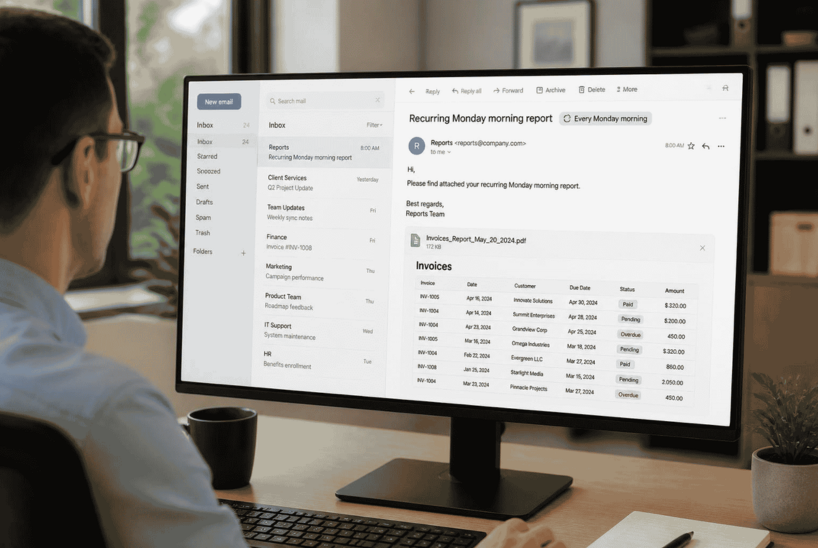
Sometimes, you don't need to open a document or dig into an entire workflow. You just need to see certain documents, whether that's invoices coming due, contracts nearing expiration, or documents waiting for action.
The challenge is that these lists change over time. Running the same search every Monday or checking contracts at the beginning of every month creates another recurring task for your team.
With DocuXplorer's custom scheduled reporting, you can eliminate that extra step. Instead of logging in to find what you need, you can have a report delivered to your inbox automatically on a schedule that works for you.
The report pulls together the documents that match your chosen criteria, giving you a convenient snapshot of what's happening without requiring you to track down each item individually. It's a simple way to make your existing document management processes work even better for you.
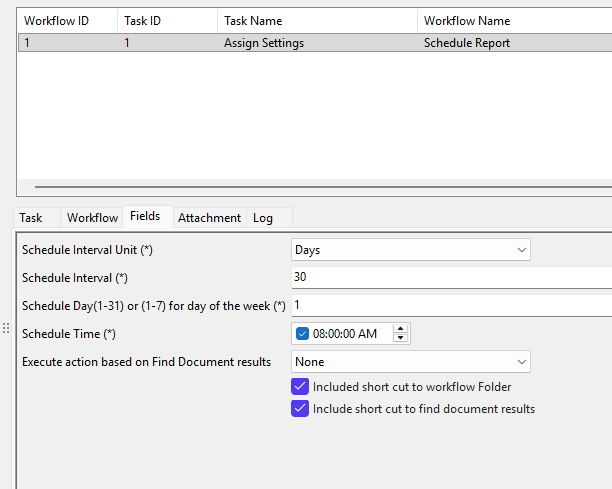
DocuXplorer already allows users to save searches and trigger automated actions when documents meet certain conditions. Scheduled reporting builds on that capability by gathering matching documents into a report and delivering the results at whatever intervals you like—and now it’s something you can customize yourself.
The process starts with a search. You define the documents you want to see, such as document type or status. Once you've saved the search, it can be connected to a scheduled reporting workflow.
From there, you tell the workflow when to run the report and how to deliver the results. This is completely configurable to your needs—get your report every week, two weeks, or month. Get it in HTML, Excel, CSV or a link to the actual documents, right in your email.
Instead of receiving a separate notification every time an individual document meets a certain condition, you can receive a consolidated list of matching documents, in one place, ready to review.
The real value of custom scheduled reports is how easily they can fit into the routines your team already follows. Any time you find yourself repeatedly running the same search to assemble a list of documents, there's an opportunity to automate the process.
Imagine starting every Monday with a spreadsheet of pending client invoices. Instead of searching, filtering results, and compiling a list yourself, you receive the latest matches in your inbox.
Your accounts payable team can use that report to prioritize upcoming payments, plan cash flow, and follow up on outstanding items. The report becomes a regular part of the team's weekly routine, helping everyone stay ahead of deadlines without adding another manual task.
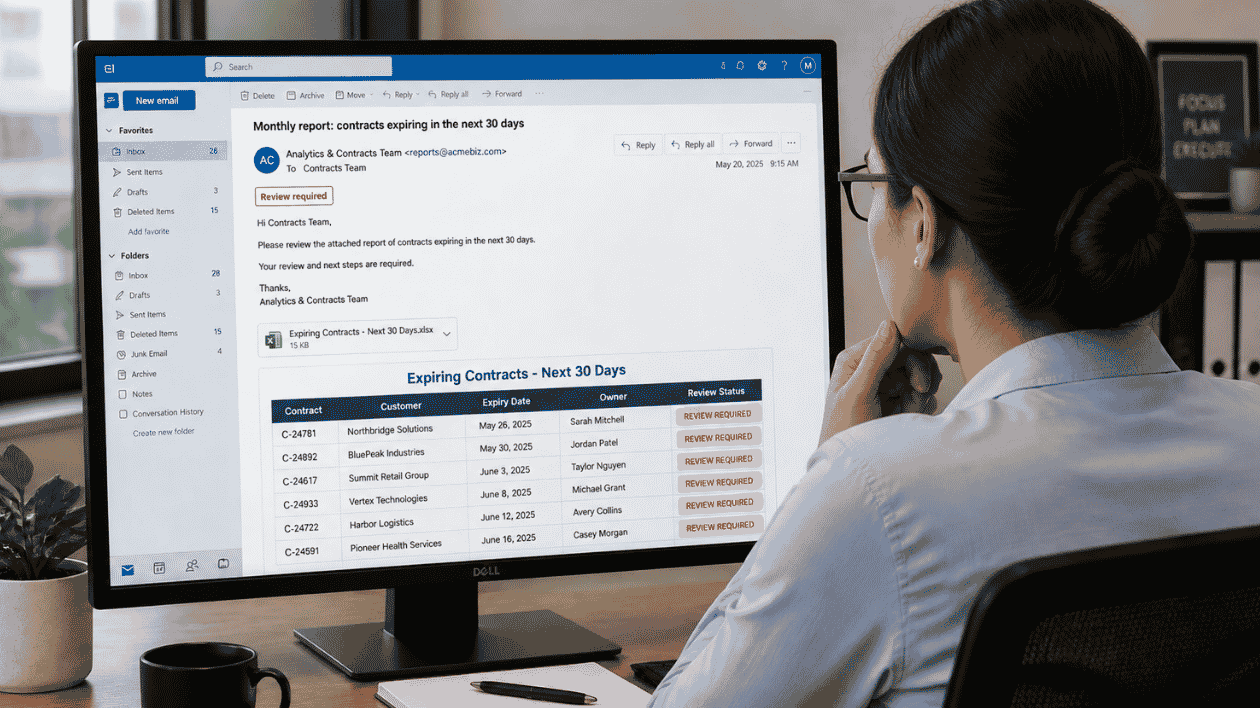
Contract renewals are easier to manage when you have time to prepare. A scheduled report could arrive on the first Monday of each month with a list of contracts expiring within the next 30 days.
That gives the appropriate team members a recurring view of upcoming renewals, helping them plan reviews, contact stakeholders, and initiate renewal discussions before deadlines approach. Instead of relying on someone to remember to run a search, the report provides a consistent and easy way to maintain oversight.
Not every team needs the same information, and not every report should follow the same schedule. A useful reporting workflow should reflect the way your organization works.
With DocuXplorer, the underlying search determines which documents appear in your report. That means you can tailor the results to the document types, statuses, dates, and other available metadata that matter to your process. You can also configure the reporting workflow around your preferred schedule and output format.
For example, your accounts payable team might want an Excel spreadsheet every week, while your contracts team may prefer a monthly report in a browser-friendly format. The goal is to give each team a practical way to access the information it needs, rather than asking everyone to work from the same generic report.
You should also be able to configure a helpful workflow yourself, without needing to pay for IT support.
Finally, flexibility matters. When you can build a reporting workflow around your needs, it's easier to adapt as business processes change or new reporting requirements emerge.
Custom scheduled reporting is a small change that can make a meaningful difference in the way your team works. It reduces repetitive searches, gives people control over important documents, and makes actioning documents easier.
It also reflects an important principle behind DocuXplorer's ongoing development: listening to how our clients use the system and finding practical ways to make their work easier. As organizations surface opportunities to reduce manual effort, DocuXplorer continues to evolve its features and workflows to better support those needs.
You don't have to overhaul your document management process to benefit. Sometimes, the most useful improvement is simply making sure the right information reaches the right person at the right time.
If your team regularly searches for the same documents, compiles recurring lists, or checks statuses against upcoming deadlines, let's explore how scheduled reporting could help.
Contact the DocuXplorer team to talk through your reporting needs and get started with a workflow that delivers the information you need, when you need it.

.png)